Printable Paper
Graph paper sizes explained: which grid to use for what
By Jobi · Creator & Maintainer, PrintablesWorld · Updated 2026-07-30 · 7 min read
You print a sheet of graph paper for tonight's maths homework, and the squares come out so wide the whole curve crams into one corner. Graph paper sizes, and the grid spacing across them, decide whether a page feels cramped or roomy, and the free graph paper generator lets you set both before printing.
What do graph paper sizes and grid spacings mean?
Two numbers describe any sheet. The paper size, such as A4 or US Letter, sets the outer dimensions. The grid spacing, the distance between printed lines, is written as 5mm, 1cm, or a fraction of an inch. People often say graph paper sizes to mean both at once, but it helps to keep them apart: the sheet sets how much area you have, and the spacing sets how finely that area is divided. The generator treats the two as separate options, so you can pair any grid with either page.
Why grid spacing matters for the task
Spacing shapes the work more than the sheet size does. A grid that is too fine buries your marks in a mesh of lines; one too coarse wastes the page. For a young child still forming digits, a larger 1cm box gives the hand room to move, which is why early-years sheets rarely use a tight grid. For dense plotting, the opposite holds, and a 2mm grid earns its place.
How to choose a graph paper size
A short sequence works for most jobs:
- Name the task. Plotting, number practice, and design each suit a different grid.
- Pick the spacing. Read off 2mm, 5mm, 1cm, or an inch fraction for the marks going inside.
- Match the paper to your tray, A4 or US Letter, so nothing clips.
- Decide on axes. A heavier major line at set intervals speeds plotting.
- Print one test sheet at actual size and measure before committing to a batch.
Matching grid sizes to common tasks
Here are concrete pairings of grid spacing to task, with the rough square count edge to edge. Printable margins shave a row or column off either way.
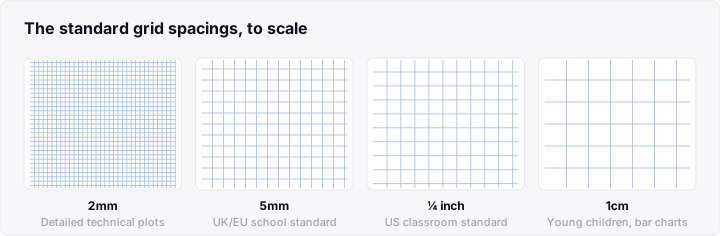
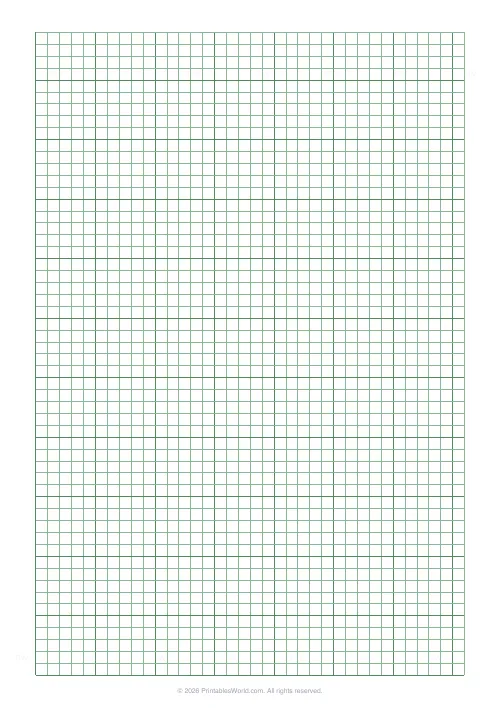
- 5mm, general maths: the everyday default for graphs. About 42 columns by 59 rows on A4.
- 1cm, younger pupils: roomy boxes for early number work, roughly 21 by 29 on A4.
- 2mm, fine plotting: dense detail, around 105 by 148 on A4.
- Quarter inch, North American classroom standard: the common US grid, a clean 34 by 44 on US Letter. It measures 6.35mm, so it runs slightly coarser than 5mm. If you want the closest metric match on Letter, a fifth-inch grid sits at about 5.08mm and gives roughly 42 by 55.
For axis numbering, a heavier line every five squares acts as a built-in ruler.
How to use the graph paper generator
The graph paper generator settings stay simple: paper size (A4 or US Letter), grid spacing in millimetres or inches, line weight, and an optional heavier major line. The tool builds a print-ready PDF on the spot, with no sign-up, to save or print. Print at actual size and a 5mm grid measures exactly 5mm, on A4 or Letter alike.
Graph paper for different uses
Graph paper is one of more printable paper templates, and different graph paper sizes suit different jobs with only a change of spacing.
School maths and coordinate plotting
A 5mm grid on A4, or a quarter-inch grid on US Letter, holds a full pair of axes with room for both quadrants. Pair it with printable math worksheets for practice.
Early years and number formation
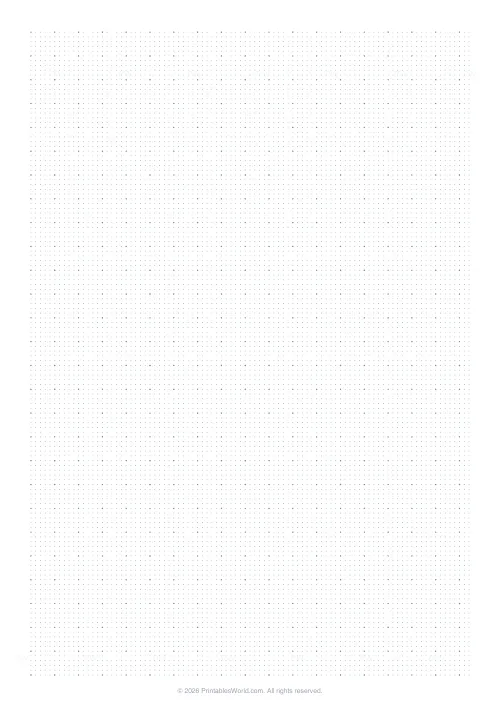
A 1cm grid gives one digit per box and keeps columns straight, with larger squares giving a small, still-developing hand room to keep each digit steady.
Design, craft, and scale drawing
When a square stands for a fixed measurement, graph paper becomes a quick scale tool; knitting and cross-stitch charts treat each square as a stitch.
Common mistakes to avoid
- Leaving scaling switched on. Fit to page resizes every square, so a 5mm grid no longer measures 5mm.
- Picking a grid that is too fine. A 2mm grid for rough sketching crowds the marks.
- Mismatching A4 and US Letter. The wrong tray clips edges or forces resizing.
- Expecting exact edge-to-edge counts. The printable margin shaves off a row or column.
Frequently asked questions
What size squares does standard graph paper have?
There is no single standard, but a few spacings recur. On metric paper, 5mm squares are the everyday choice for school and general maths, with 1cm common for younger pupils and 2mm reserved for fine plotting. On US Letter, quarter inch and fifth inch grids are typical, and an eighth inch grid appears on engineering pads. Squares are defined by their spacing rather than the sheet, so one A4 page can carry any of them once you set the figure in the generator.
Is 5mm or 1cm graph paper better for maths?
It depends on the age of the writer and the size of the numbers in each cell. Many teachers find 5mm squares suit secondary plotting and coordinate work, since an A4 sheet holds roughly 42 columns by 59 rows, plenty for a full set of axes. For early primary number work, 1cm squares give around 21 by 29 cells, each box large enough for a confidently written digit. A practical test is to print one of each and keep whichever your hand sits on comfortably.
Can I print graph paper on US Letter instead of A4?
Yes. The generator offers both A4 and US Letter, so the page matches the paper in your tray rather than leaving clipped margins. The spacing stays true to the figure you set, so a 5mm grid prints as 5mm on either sheet, and only the count of squares that fit changes. The setting to watch sits in the print dialog: keep scaling at actual size or 100 percent, since fit to page silently resizes the squares and the spacing stops matching its label, so it pays to check before printing a batch.
How do I stop my printer shrinking the graph paper grid?
The usual culprit is a scaling option in the print dialog. Settings labelled fit to page, shrink to fit, or scale to 95 percent all nudge the grid smaller, so a 5mm square arrives as roughly 4.75mm and any measuring is off. Open the print dialog, find the scale control, and set it to actual size or 100 percent. A quick check is to print one sheet and measure ten squares with a ruler, which should span exactly 50mm on a true 5mm grid.
Sources and further reading
The figures here were checked against:
- ISO 216, the international standard for A and B series paper sizes, which sets A4 at 210mm by 297mm.
- Papersizes.org, a reference for international and North American paper dimensions, used to confirm US Letter measurements.
Before you print
Two settings do the real work: the spacing that fits your task, and the actual-size print option that keeps it honest. Pick the grid for what goes inside each square, match the paper to your tray, and run one test sheet before a batch. Do that and the graph paper generator turns a vague need for squared paper into the exact sheet the job calls for. Choose the spacing, hold the print scale at 100 percent, and a minute of setup saves a stack of wasted reprints.
Related tools
Continue reading
Printable Paper
The best note-taking paper for students (Cornell, grid, lined)
The paper you take notes on quietly decides how you review them. Here is what each format is actually for, and which subjects each suits.
4 min read
Printable Paper
Bullet journalling with dot grid paper: a starter guide
The bullet journal was designed to be fast, not beautiful. Here is the original system, why dot grid suits it better than lines or blank, and the four pages you actually need.
5 min read