Planners
Time blocking for beginners: a complete guide
By Jobi · Creator & Maintainer, PrintablesWorld · Updated 2026-06-28 · 5 min read
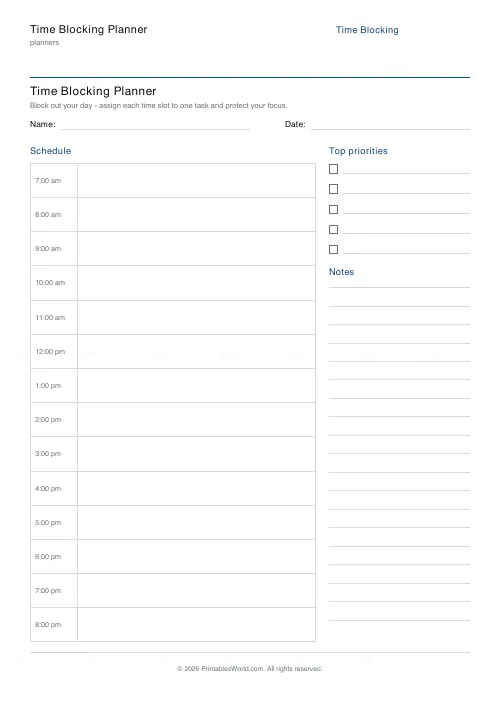
A to-do list tells you what to do. It says nothing about when, which is why long lists produce guilt rather than finished work. Time blocking answers the missing question by assigning every task a slot in the day. And a free printable time blocking planner is genuinely better than a digital calendar for learning it, because the constraint of a fixed page stops you pretending the day has more hours than it does.
What time blocking actually is
You divide the working day into blocks and assign each one a specific job before the day starts. Not "answer emails" floating on a list, but "09:30–10:00, email". When a block ends, you move on whether or not the task is finished.
The important part is that every hour gets assigned, including breaks, lunch and the buffer between things. Unassigned time is where the day quietly leaks away.
Why it works when lists do not
It forces a confrontation with arithmetic. A list of twelve tasks feels achievable. The same twelve tasks with realistic durations come to fourteen hours, and you can see that before the day begins rather than at 6pm.
It removes the decision. Choosing what to do next, repeatedly, all day, is itself tiring and biases you towards small easy tasks. A blocked day has already made those choices.
It protects the hard work. Demanding tasks lose to urgent trivial ones unless they have defended territory in the calendar.
It makes the true cost of interruptions visible. A meeting is not thirty minutes; it is thirty minutes plus the block it fragments either side.
Setting up your first blocked day
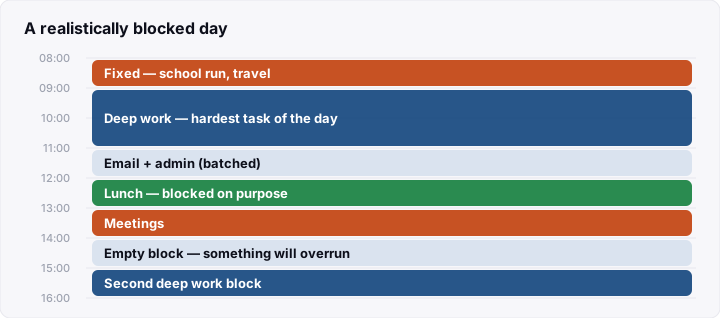
- Block the fixed things first. Meetings, the school run, appointments. These are constraints, not choices.
- Block sleep, meals and travel. Beginners routinely forget these and then wonder why the plan failed.
- Find your best two hours and put the hardest task there. For most people this is mid-morning, but track it for a week rather than assuming.
- Batch the small stuff. One or two email blocks, not email scattered through the day.
- Leave one empty block. Something will overrun. A day with no slack fails at the first interruption.
Sizing blocks realistically
Most beginners under-estimate durations by a wide margin, and the fix is mechanical rather than motivational.
Estimate the task, then add half again. If you think a report takes two hours, block three. Do this for a fortnight and you will have real data about your own estimating bias, which is more useful than any productivity advice.
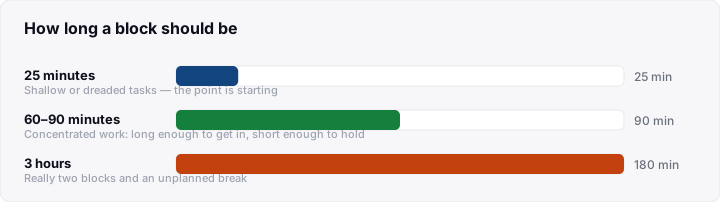
On block length: 25 minutes suits shallow or dreaded tasks, where the point is starting. 60 to 90 minutes suits concentrated work. Long enough to get in, short enough to hold attention. Beyond about 90 minutes most people fade, so a three-hour block is usually two blocks with a break you have not planned.
Always leave 5 to 10 minutes between blocks. Back-to-back blocks look efficient and produce a day that runs late from 10am onwards.
Five beginner mistakes
1. Scheduling every minute. A perfectly full day has no capacity to absorb reality. Aim to block roughly 60–70% of your working hours at first.
2. Blocking only work. Rest, exercise and time with people that are not scheduled get eaten by work that is.
3. Treating blocks as unbreakable. They are a plan, not a contract. Moving a block is fine; abandoning the system because you moved one is not.
4. Planning the day that morning. Do it the evening before. Morning-you will choose easier work, and the first hour is too valuable to spend planning.
5. Giving up after a bad day. The first week is data collection. You are calibrating estimates, not proving anything.
When the day gets destroyed
Some days an emergency takes the whole afternoon. The system has an answer, and it is not "start again tomorrow".
Ask what the single most important remaining block is, and protect only that. Let the rest go without renegotiating each item. A destroyed day that still contains its one important block is a good day; a destroyed day spent triaging a broken plan is not.
Then note what destroyed it. If the same category of interruption arrives most weeks, it is not an interruption. It is unblocked work, and it needs a block of its own.
Variants worth knowing
- Task batching: group similar work into one block. Switching costs are real, and five email checks cost more than the emails do.
- Day theming: assign whole days to categories. Useful for people juggling distinct roles.
- Timeboxing: a hard stop rather than a target. Effective against perfectionism and against tasks that expand to fill available time.
All three combine with a printed plan. For a lighter version, the daily planner gives hour slots without the full blocking structure, which some people prefer while they are still calibrating.
Frequently asked questions
How much of the day should I block?
Around 60–70% at first. Full blocking works for people with high control over their time and fails quickly for anyone whose day contains other people.
Is paper better than a calendar app?
For learning, usually yes: a fixed page makes over-scheduling visible, and there are no notifications on it. Digital wins for shared calendars and recurring blocks, and many people end up using both. Paper for the day, digital for appointments.
What if I finish a block early?
Take the remaining time as a break, or pull the next block forward. Do not automatically fill it. Consistently finishing early means your estimates are improving, which is worth noticing rather than absorbing.
Does time blocking work with an unpredictable job?
Partly. If half your day is reactive, block the other half and leave the reactive portion as explicitly unassigned. Trying to block a genuinely reactive role hour by hour produces a plan you rewrite all day.
Before you print
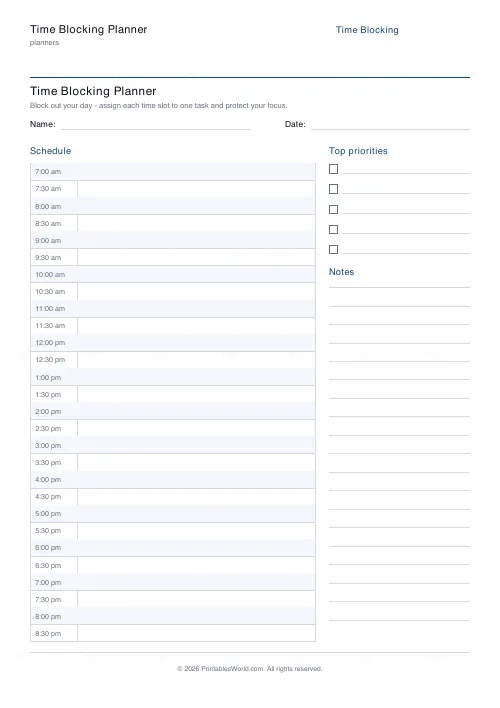
Block the fixed things first, add half again to every estimate, leave one block empty, and plan tomorrow tonight. Print a week of the time blocking planner and treat the first few days as calibration rather than performance.
Related tools

Continue reading
Planners
How to build a daily routine that actually sticks
Most routines fail in week two, when motivation runs out and nothing has replaced it. The fix is structural: fewer items, fixed anchors, and a plan for the day you miss.
6 min read
Planners
Study planning for exams: a student's complete guide
A revision timetable is only as good as what goes in the slots. Here is how to build one backwards from the exam date, and which study methods the evidence actually supports.
5 min read