What this tool does
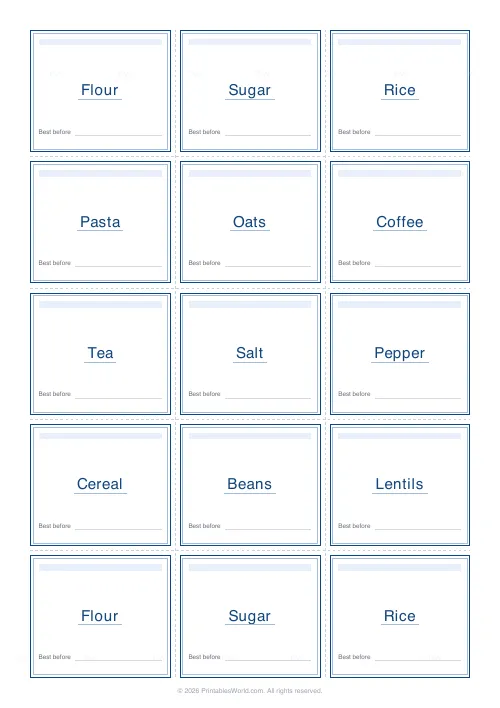
A full sheet of matching labels for jars and spice tins, for canisters, for storage boxes. Type your item names one per line and pick a size: small tiles 32 to a page, medium 15, large 6. Rounded cards, plain rectangles or ovals, with an optional accent bar and a faint best-before line to write an open date on. Dashed cut guides. A4 or US Letter.
People also used
Lined Paper Generator
Generate custom ruled paper PDFs with adjustable line spacing, colours, margins, and primary ruling styles.
Graph Paper Generator
Create custom graph paper PDFs with square or rectangular grids, dot styles, and axis numbering.
Hex Grid Paper
Hexagonal grid for board game design, mapping, and strategy games.
Feedback
Spotted something off with this tool?
Type a list, get a sheet
Flour. Sugar. Rice. Coffee. One item per line, and the page fills with cut-out labels carrying exactly those names and nothing else.
The point of doing it this way rather than with a label maker is that the whole shelf matches. Same typeface, same size, same spacing, printed in one pass, which is the difference between a pantry that looks organised and one that looks like it has been labelled over three years by four people.
Long names shrink to fit their card, so Self-raising flour stays on one line and stays readable.
Three sizes, and the grid each one makes
- Small. Four across and eight down, so 32 to a page. Spice jars, herb tins, small lidded pots.
- Medium. Three by five, 15 to a page. The default, and the right answer for standard kitchen jars.
- Large. Two by three, six to a page. Flour and sugar canisters, cereal bins, pantry baskets, anything read from across the room.
Pick by the container rather than by how many you need. A label that overhangs a spice jar looks worse than no label, and one that is too small on a five-litre bin defeats the purpose.
Shape, accent bar, and the best-before line
Rounded cards, plain rectangles, or ovals. The oval is the preserve-jar look and it is what you want on jam and chutney, particularly if any of it is being given away.
The accent bar is a coloured strip across the top of each label, and it does more work than it sounds like: it gives the eye something to land on at shelf height, so you find the jar by colour block before you read the word.
The best-before line is a faint rule near the bottom for writing an open date. Turn it on for anything decanted, which is most of the reason people label jars in the first place. Nobody remembers when the flour came out of the bag.
Repeat to fill, or one each
Type twelve items at the medium size and you have fifteen cells to put them in. Repeat-to-fill tiles the list round to use every cell; leave it off and you get exactly one label per item across as many pages as that takes.
Repeat is what you want when several jars hold the same thing, or when you know you will lose one during cutting. One-each is what you want when the list is long.
Relabelling a kitchen in an evening
Twelve staples typed one per line, medium size, oval shape, best-before line on. The preview fills with fifteen labels a page.
Two pages onto adhesive sticker sheets, cut along the dashed guides, one per jar, open date written on as each goes on. Then the small size with the spice names for the rack, and the large size for the flour and sugar canisters. Three print runs, one evening, and the shelf matches.
Printing, cutting, sticking
- Full scale, always. Fit-to-page moves every cut guide by a millimetre or two and you will be trimming by eye across 32 labels.
- Adhesive sticker sheets are the easy route. Plain paper and a glue stick works and costs nothing.
- For a jar that gets handled with wet hands, print on plain paper and cover the label with a strip of clear packing tape. It is not elegant and it lasts for years.
- A craft knife and a metal ruler against the dashed guides beats scissors for a straight edge, and a corner punch finishes the rounded and rectangular shapes properly.
FAQs
Quick answers
Can I use my own item names?
Yes. Type any names you like in the box, one per line, and the sheet fills with your exact pantry. Flour, sugar, spices, freezer tubs, anything. The label text auto-shrinks so longer names still fit on one line.
What label sizes are available?
Three: small (4×8, 32 per page) for spice jars, medium (3×5, 15 per page) for standard jars, and large (2×3, 6 per page) for canisters and big bins. Pick the one that matches your containers.
Can I print these on sticker sheets?
Absolutely. Print on adhesive label or sticker sheets for peel-and-stick labels, or print on plain paper and fix with a glue stick or clear tape. Keep printer scaling at 100% so the labels line up with your cuts.
Can I write a best-before date on the labels?
Yes. Turn on the best-before line and each label gets a faint write-on line near the bottom, ideal for dating opened or decanted goods.
Related tools
Lined Paper Generator
Generate custom ruled paper PDFs with adjustable line spacing, colours, margins, and primary ruling styles.
Graph Paper Generator
Create custom graph paper PDFs with square or rectangular grids, dot styles, and axis numbering.
Hex Grid Paper
Hexagonal grid for board game design, mapping, and strategy games.
Printable Crown Band (Plain)
Plain paper crown strips to cut out and tape into a wearable crown.
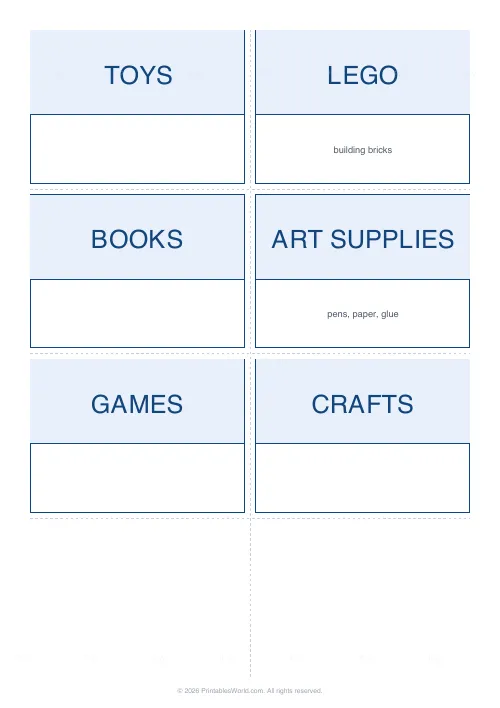
Storage Bin & Organization Labels
Printable labels for storage bins, baskets, shelves, drawers and pantry jars. Type your list and print a clean, matching set.