What this tool does
Enter your camera's megapixels and an aspect ratio, choose a target print resolution (DPI), and see the largest size you can print while staying sharp, in both inches and centimetres.
People also used
Feedback
Spotted something off with this tool?
How big can you print your photo?
A photo's megapixel count sets the largest size it can print before pixels become visible. This calculator turns megapixels into a maximum print size at the quality level you choose. Enter the megapixels, pick an aspect ratio (most cameras are 3:2), and select a DPI target. 300 for fine prints held close, 240 for general photo prints, or 150 for posters viewed from a distance.
The result is the print width and height in inches and centimetres. Print at or below that size and the image stays crisp; print larger and softness or pixelation starts to show.
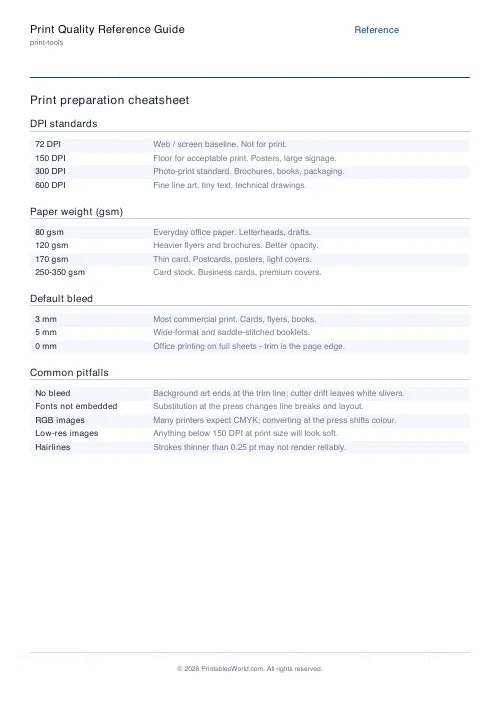
What DPI to choose
- 300 DPI: gallery prints, photo books, anything viewed up close.
- 240 DPI: standard high-quality photo prints; a good default.
- 150 DPI: posters and banners viewed from a metre or more away.
Lower DPI lets you print bigger from the same file because each inch uses fewer pixels. Viewing distance is the trick: the further away a print is seen, the lower the DPI you can get away with.
Megapixels and print size at 300 DPI
- 6 MP: about 10 x 6.7 inches.
- 12 MP: about 14 x 9.4 inches.
- 24 MP: about 20 x 13.3 inches.
- 45 MP: about 27 x 18 inches.
Getting the most from it
- Enter your camera or image megapixels (e.g. 24).
- Set the aspect ratio. 3:2 for most DSLR/mirrorless, 4:3 for phones and compacts.
- Pick the DPI target for how the print will be viewed.
- Read the maximum print size, then choose the nearest standard size at or below it.
Megapixels are not the whole story
- Megapixels set resolution, not quality. A sharp lens, good focus, and low noise matter just as much.
- The aspect ratio you set should match the image; cropping reduces the effective megapixels.
- These limits are guidelines. Modern upscaling can push prints larger, and distant viewing forgives lower detail.
FAQs
Quick answers
How many megapixels do I need for a sharp 8x10 print?
At 300 DPI an 8x10 needs about 7.2 megapixels (2400 x 3000 pixels). Almost any modern camera or phone clears that comfortably.
Is 300 DPI always necessary?
No. 300 DPI suits prints viewed up close. Posters seen from a metre away look fine at 150 DPI, which lets you print roughly twice as large from the same file.
Why does aspect ratio change the result?
Megapixels are a total pixel count. How those pixels split between width and height depends on the ratio, so a 3:2 and a 1:1 image of the same megapixels print to different dimensions.
Can I print bigger than the calculator says?
Yes, especially for distant viewing or with good upscaling software. The figure is the size that stays crisp at normal viewing distance without any enlargement tricks.
Related tools
Further reading