What this tool does
Give it the size of your document and the paper you want it on, and it returns the exact percentage to type into the printer dialog. It scales to fit, so the whole page stays visible and nothing is clipped. Below 100% shrinks, above 100% enlarges.
People also used
Paper Sizes Calculator
Compare paper sizes and convert dimensions to pixels for accurate print design at any resolution.
DPI Calculator
Calculate DPI, print size, or required pixels for sharp, print-ready images.
PDF Page Imposition Guide
Plan signature order for booklet printing. Page count and signature size in, table out.
Feedback
Spotted something off with this tool?
The number to type into the print dialog
Enter the original width and height. Pick a target paper size or type your own, and read off the percentage. That is the whole tool.
It scales to fit: the factor is chosen so the more constrained side just touches the paper edge, which guarantees nothing is cut off and usually leaves a small margin on the other axis, because paper ratios rarely match exactly.
The factors people need most
- A4 to A3: about 141%.
- A3 to A4: about 71%. The two are reciprocal, which is the neat property of the A series.
- A4 to US Letter: about 94%, limited by Letter being the shorter of the two.
- US Letter to A4: about 97%.
- A4 to A5: about 70%.
That last one catches people, because it looks as though it ought to be 71% like the A3 to A4 step. It is not quite. The A series rounds to whole millimetres, so A5 is 148 mm wide rather than the 148.5 the ideal halving would give, and the fit factor works out at 70.5%. Round down to 70% and it fits. Round up to 71% and the width overshoots the paper by a hair, which on a design that runs near the edge is the difference between a clean print and a trimmed one.
Fit against fill
This calculator does fit, meaning the entire document stays on the sheet.
Fill is the other option: scale by the larger factor instead, cover the whole sheet, and accept that the overflowing edges are lost. That is right for a photograph you want edge to edge and wrong for almost everything else. For a worksheet, a certificate or anything with text near a margin, fit is the safe answer, and it is why fit is what this returns.
Before you press print
- Most printers reserve 3 to 5 mm of unprintable border. If your design runs to the very edge, go a percent or two below the calculated figure, or print oversized and trim.
- Scaling shrinks line widths and text along with everything else. A heavy reduction can push fine print below readable.
- The percentage assumes the printer's own scaling is set to Custom or 100%. Leave Fit-to-page or Shrink-to-fit switched on and the driver will scale your already-scaled document a second time.
The last of those is much the commonest reason a correctly calculated percentage still produces a wrong-sized print.
FAQs
Quick answers
What scaling percentage turns A4 into A3?
About 141%. The A-series grows by the square root of 2 between sizes, so enlarging A4 to A3 is 141% and shrinking A3 to A4 is about 71%.
Why is the percentage under 100% when sizes look similar?
Because the calculator fits the whole page inside the paper. If the target is even slightly smaller on one side, it shrinks to fit that side so nothing is clipped.
Will scaling cut off my margins?
Fit-to-page keeps everything visible, but printers have an unprintable border of a few millimetres. If your content runs edge to edge, scale a touch smaller or print on larger stock and trim.
Where do I enter the scale in my printer?
In the print dialog choose Custom Scale (sometimes under More Settings or Page Setup) and type the percentage. Make sure Fit-to-page is turned off so it does not override your value.
Related tools
Paper Sizes Calculator
Compare paper sizes and convert dimensions to pixels for accurate print design at any resolution.
DPI Calculator
Calculate DPI, print size, or required pixels for sharp, print-ready images.
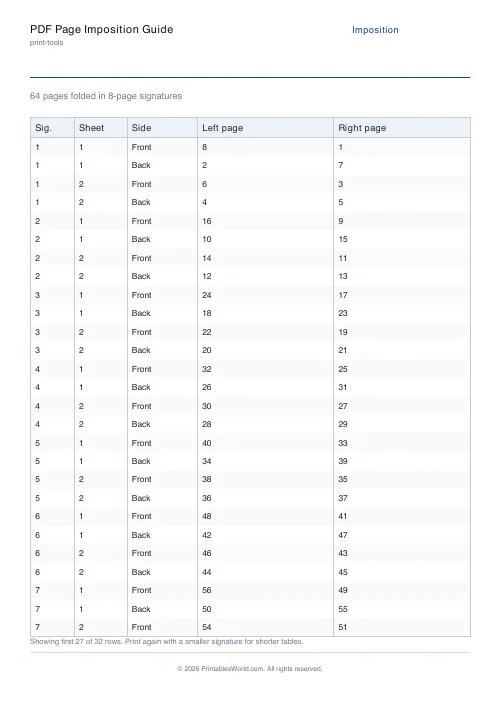
PDF Page Imposition Guide
Plan signature order for booklet printing. Page count and signature size in, table out.
N-Up Printing Calculator
Fit multiple pages or images onto one sheet.
Further reading